proforst: The ERP/FIS - Software for efficient forestry management
Forests are a great and valuable asset, and they need to be protected and preserved. However, forest proprietors, from federal forestry administrations to private forests, also know that a forest is a very costly asset. The necessity to optimize organizational structures is growing in the forestry industry.
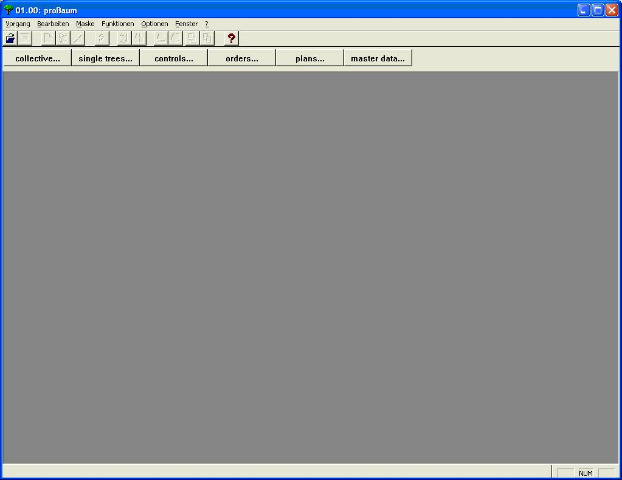
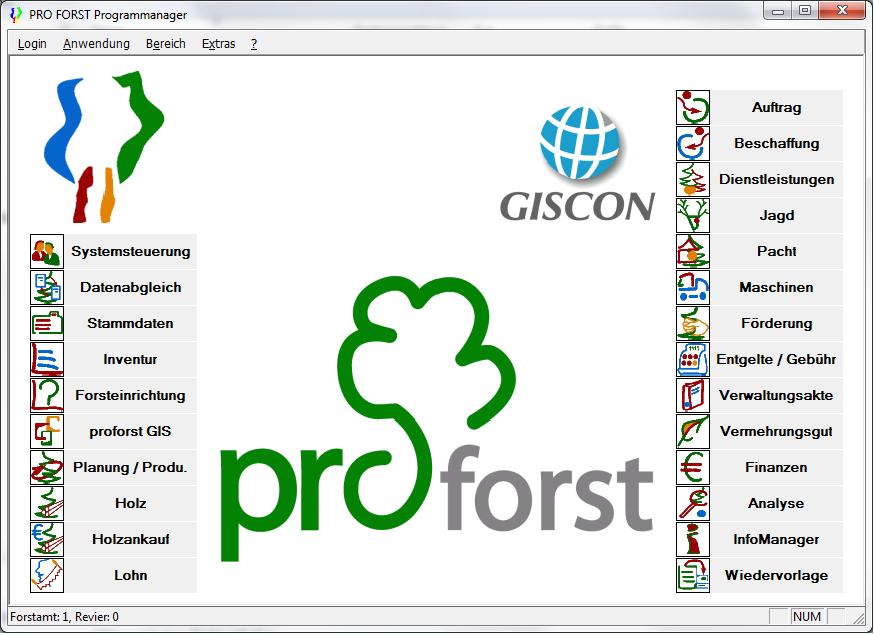
In forestry proforst, the forestry software of GISCON Systems GmbH, is a market-leading application for forestry operations, which controls the implementation of all operational procedures involved in production. proforst is being used at over 1.400 places of work covering an area of more than 1 million hectares. proforst is a modular information system for the entire range of forestry work. From the planning via the execution to the evaluation stages proforst supports users at all levels in a reliable and practical way, as the software is developed jointly by forestry graduates and computer scientists in our company. This is the only way of achieving a standardized solution for all forestry proprietors. The forestry industry can therefore be organized more efficiently and forest rangers have more time for essential tasks – time to manage the forest and time to protect it.
proforst is available either as a single or multiple user system (client/server architecture). In addition, the software may be accessed by the terminal server technology via the internet.
Short overview
Below you'll get a short overview about the proforst modules and their basic functions.
- Module: Control panel (System control)
- Define Users
- Allocate access rights to users for individual modules
- Administrate passwords individually
- Modify passwords
- Master data
- Record and edit general definitions and codes
- (e. g. for tree species, accounting plans, methods, community codes)
- Record and edit regionally or locally relevant data
- Record and edit personal data
- Inventory
- Define Forest District Offices as regional organisation units
- Record and edit Sub-Districts and Forest Management Units
- Record and edit companies and their divisions
- Record and edit area resources (cadastral units)
- Register cadastral uses (hunting, fishery and other objects) and allocate areas using cadastral units
- Record and edit freely defined objects
- Forest Management
- Define and edit forest management areas (compartment, sub-compartment, stand)
- Carry out forest management planning and create reference date version
- using regional yield tables
- Update and maintain stand data with a working copy
- Update Forest Management Plans automatically every year (basic stand and implementation data
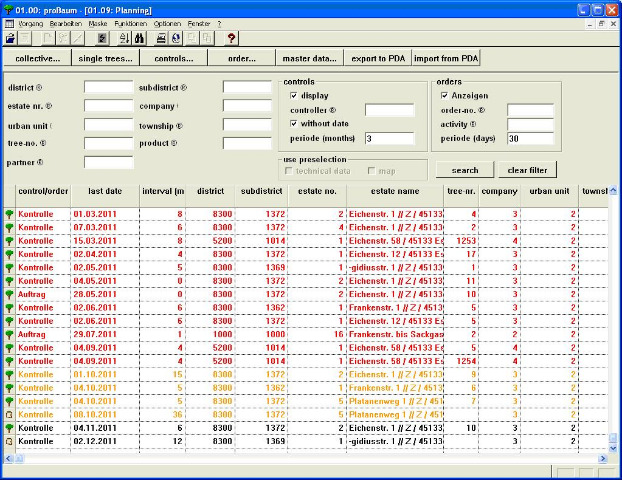
- Planing and Production
- Target/Actual comparisons with numerous detailed information
- Undertake precalculations for different working methods and composition of assortments in an easy and flexible way
- Planning of work volume
- Updated overview over planning measures and implementation status
- Contribution margin accounting
- Record and edit overall plan costs and revenue rates
- Directly import data from forest management planning
- Arrange orders for procurement of materials or external services for tenders or contract preparation
- Timber
- Interface for various mobile data recorders
- Easy moving of single logs to other timber lots
- Easy allocation of lots to pre-contracts
- automatic generation of timber record lists
- Storage of wood trading groups, special tariff assortments, and price indices
- Tender preparation; processing of general sales contracts, advance and post sales, auctions, submissions
- Summary of sold/unsold timber lots
- Compilation of timber receipts and sales lots; automatic generation of lots, based on customer request
- Price calculation on basis of price indices or absolute prices
- Complete administration of log batches with mapping function
- Wages
- Archiving of standard tarifs
- Determine wage types / groups / wage limits
- Manage monthly implementation records
- Produce forest worker deployment record
- Recalculation of settled wage months
- Generate individual piece rate agreements and use as template
- Automatic data transfer to plan implementation/completion
- Machines
- Recording/administration of the machinery setup
- Preparation of (order dependent) pre- and post calculations, including depreciation
- Development of a product catalogue
- Preparation of offers
- Settlement of final payment
- Registration of employment records
- Recording/evaluation of the machinery hour account
- Mapping
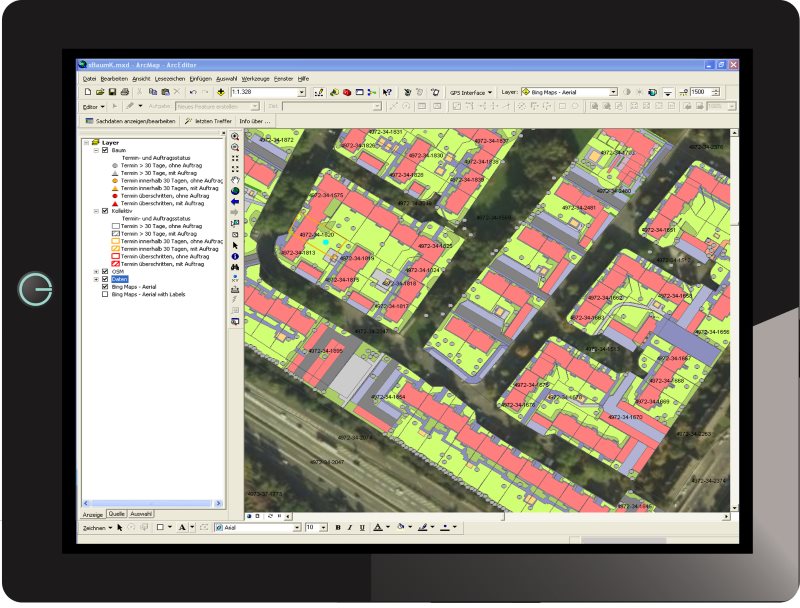
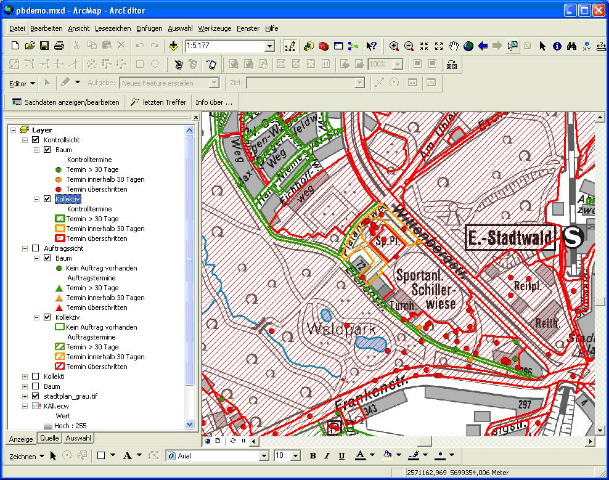
- Bi-directional linkage of maps and attribute data
- Visualisation of database queries in map form
- Log batch management
- Cartographic user surface
- Develop individual thematic maps
- Comfortable handling of maps and working results
- Cadastral information on land utilisation (hunting, nature conservation) is continuously updated
- Procurement
- Determination of needs for materials and external services
- Tenders / orders linked to annual planning or ad-hoc requirements
- Automatic preparation of contractor agreements
- Managing a stock book with continuously updated stock summaries
- Permanently updated summaries of quantities and costs
- Administration of price lists for contractor agreements
- Administration of partial / advance payments
Transparency for forestry operations
proforst is our forestry information system with client accounts containing cartograhic components for forestry districts, forest authorities and the central offices of a forestry operation. proforst is particularly user-friendly since it:
- allows central data collection and storage
- mirrors the experience and knowledge of the user
- links together different hierarchic levels and user profiles in one single forestry operation
- can be deployed flexibly (at the tree trunk as well as at the workplace)
- allows comprehensive visualization
- displays the range of tasks arising in the districts, forest authorities and central offices
- contains the InfoManager (a retrieval and reporting system)
proforst supports you in dealing with all operations in the production process by carrying out day-to-day operational tasks efficiently and providing strategic operational control. proforst includes all the integration possibilities of Windows. In addition to its core functionality, proforst offers direct, simul-taneous and integrated access to word pro-cessing, spreadsheets, graphics and all the other Windows applications. Divided into modules for the individual specialist applications required, proforst can be adapted to the needs of each forest operation. Even smaller operations will be able to use our tailored and therefore affordable solutions.
Services
Our portfolio of services provides in-depth expert knowledge for your business and your organization as a whole:
Consultancy
Our primary focus is always the customer and his or her individual forestry requirements. The assistance we offer to our customers spans electronic data processing solutions, procedural concepts from a specialist and commercial point of view, and commercial organizational consultancy.
Training
Efficiency, and therefore the commercial success of an information system, both depend almost exclusively on the acceptance, motivation and skills base of the employees. In addition to the training courses dealing with the forestry information system proforst, we also offer specialist training courses on Office products such as Word and Excel. According to the employee´s field of application, an introduction to or training with the system is useful as long as the extent of existing experience with standard tools, such as the Office family, is taken into account. All training courses are carried out by GISCON SYSTEMS staff with an education in forestry (forestry graduates or forestry engineers). The sessions usually take place at customer sites, but they can also be offered at other locations. The training offered always comprises instruction in procedures as well as training geared to individual target groups (operations managers, district managers, clerical staff, secretarial staff).
Service and maintenance
Apart from the licensing (delivery) of the applications software proforst, we also offer continuous software maintenance. The maintenance comprises ongoing improvement of the organizational structure, program flow and continual updating including documentation. Upon request, we offer support services with the implementation and care of the forestry information service. As a rule, this software services comprises:
- implementational and procedural support including a telephone support service
- on-site services and a hotline
- assistance in dealing with procedural queries and the relevant parameterization of proforst carrying out user-specific upgrades on proforst (e. g. the development of customer-specific statistics and reports)
Further information about proforst is provided here for download.
Do you have any questions concerning proforst? Please contact us
Geo-Data Manager for ArcGIS® – Simple Management of Spatial Data in ArcGIS
The management and manipulation of large spatial datasets requires a complex database structure.
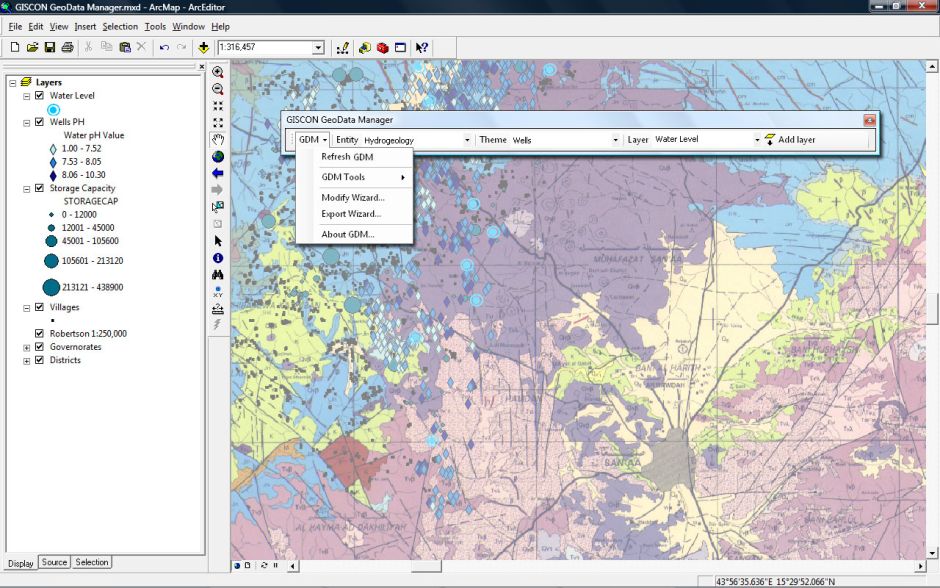
Datasets organized from different data sources in different formats and coordinate systems, should be integrated and presented to the user in a simple and clear manner. This is the main task of GISCON Geo-Data Manager (GDM) for ArcGIS®.
Structured management of different formats
- ArcSDE Geodatabase
- Personal / File Geodatabase
- Shapefile
- Coverage
- ArcSDE® Raster Data
- Raster Images
- GRID
Key Features
- Administration of geo-datasets that are centrally (server) or locally (client) stored.
- Three levels of thematic data organization infamiliar names and common symbols.
- Management of raster datasets.
- Automatic display of Raster Catalogs.
- Assistant-Wizards for selective import and export of spatial and attribute data.
- Thematic zooming levels.
System Requirements
- ESRI ArcGIS® Desktop 10.x, or ESRI ArcGIS® Desktop 9.3.1 SP2
- Microsoft .Net® Framework 3.5 SP1
- Microsoft Windows 7®, Windows Vista®, Windows XP® SP3
- Windows XP SP2 is supported only if using ArcGIS® desktop 9.3.1 SP2










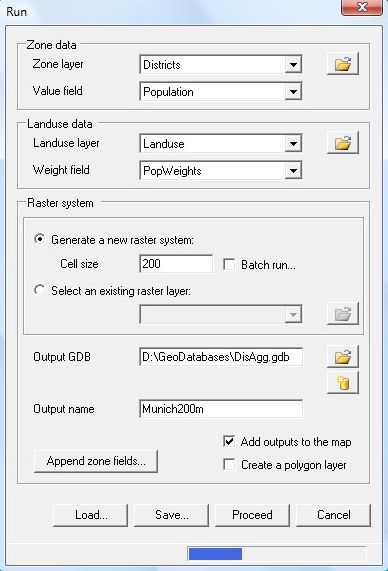
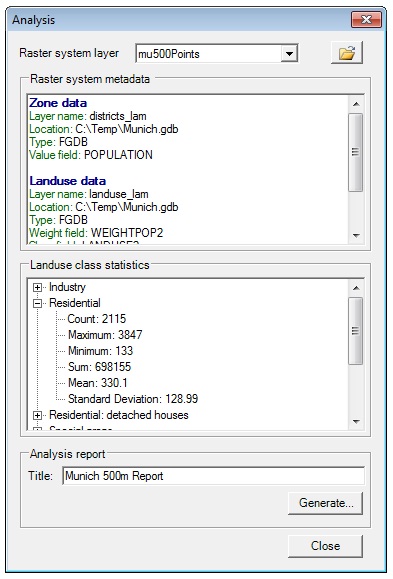
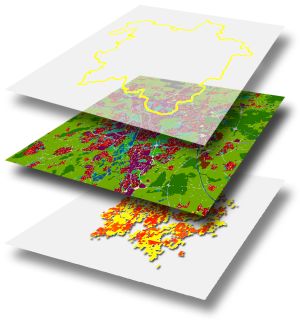 Spatial analyses in the fields of urban and regional planning, transport planning, environment, climate or geology often require high resolution socio-economic data. Such analyses work with raster data to calculate indicators such as exposure to air pollutants or to noise.